

Opening Rate Limits
Click your avatar in the sidebar and select Rate limits from the account menu.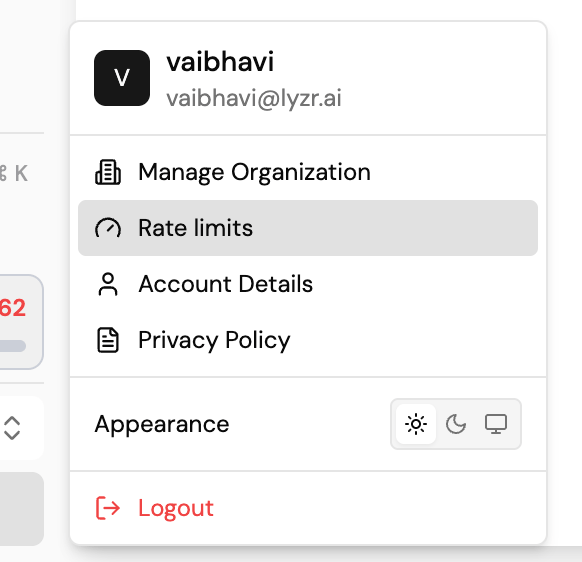
Overview
The Rate Limits page shows a Credits available summary and a row of tabs that scope the view:- Overview: an org-wide summary.
- Sub-organizations: rate limits scoped to individual sub-organizations.
- Agents: rate limits scoped to individual agents.
- Users: rate limits scoped to individual users.
Adding a rate limit
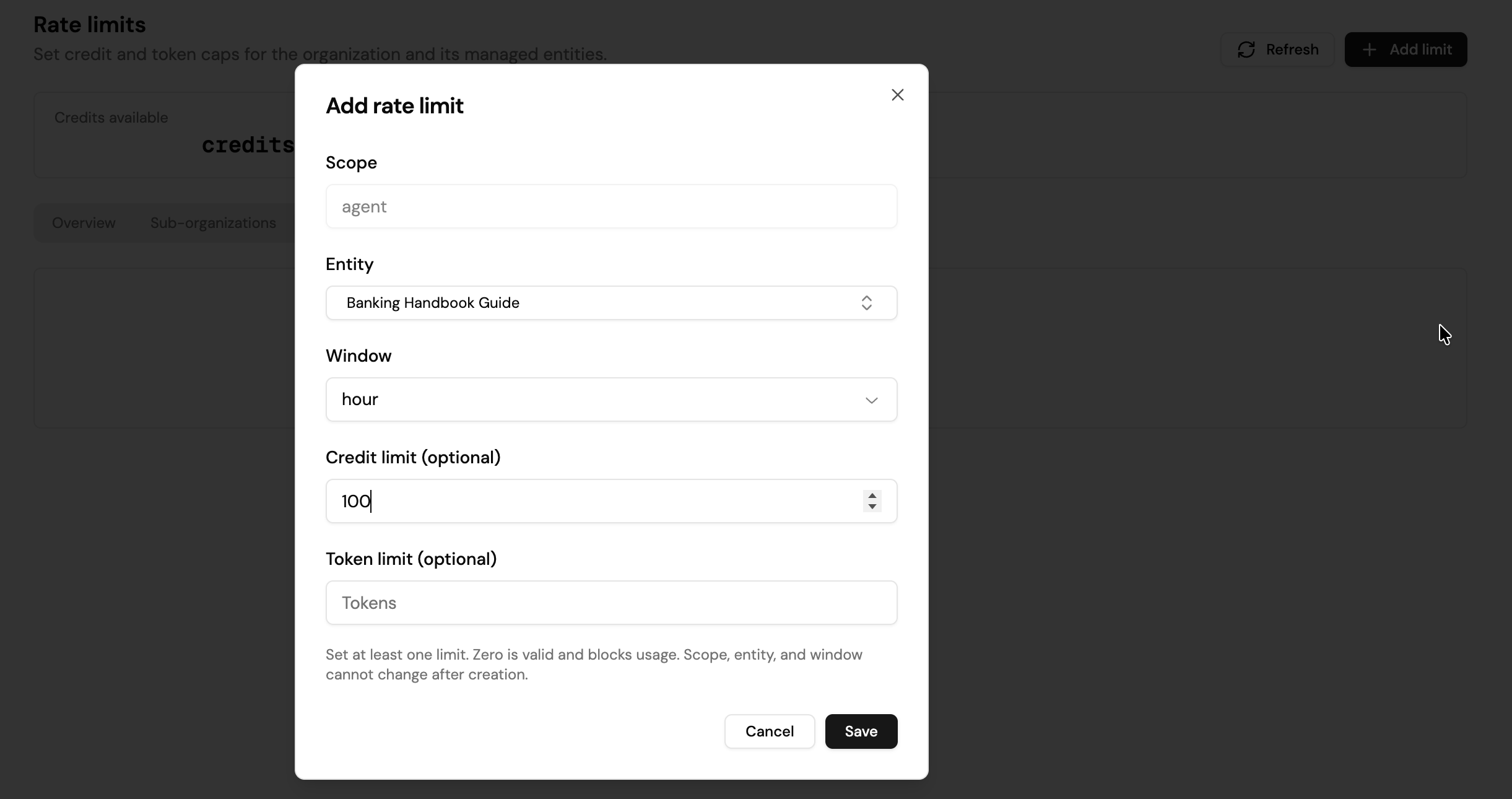
Select Add limit to open the Add rate limit modal:
You must set at least one of Credit limit or Token limit. A limit of 0 is valid and blocks all usage for that entity within the window. Once a rate limit is created, its scope, entity, and window are locked; to change them, delete the rate limit and create a new one.
Viewing and managing rate limits
Each tab (Sub-organizations, Agents, Users) lists its active rate limits in a table:
Use the edit (pencil) icon on a row to change its credit/token limits, or the delete (trash) icon to remove the rate limit entirely.
Next steps
- Team Management: sub-organization credit limits, member roles, and audit logs.
- Roles & Permissions: who can manage rate limits.