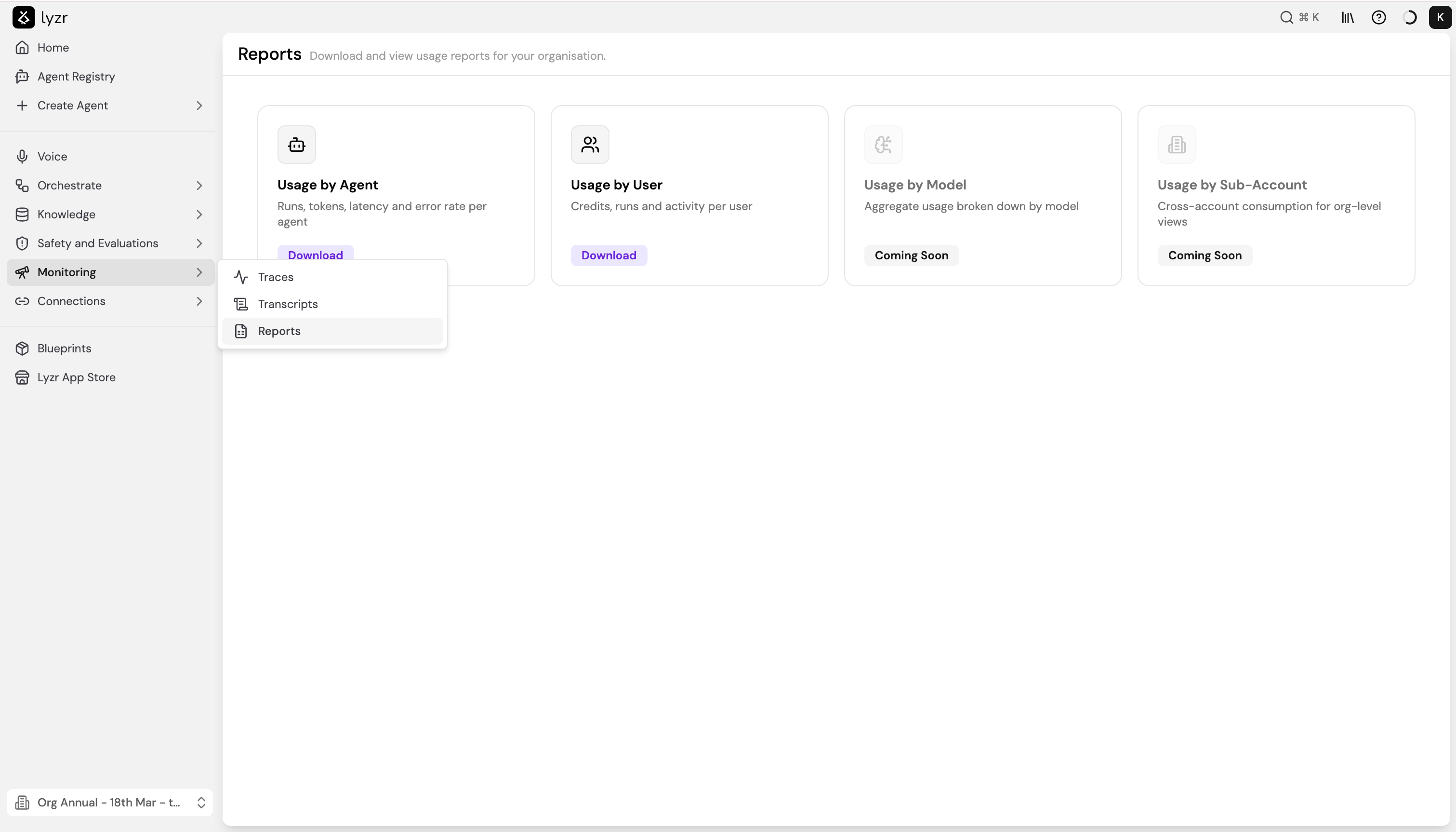
Available reports
| Report | What it covers | Status |
|---|---|---|
| Usage by Agent | Runs, tokens, latency, and error rate per agent | Available |
| Usage by User | Credits, runs, and activity per user | Available |
| Usage by Model | Aggregate usage broken down by model | Coming soon |
| Usage by Sub-Account | Cross-account consumption for org-level views | Coming soon |
Usage by Agent
Breaks down agent performance and consumption over a selected time period. Use this report to identify high-traffic agents, spot latency outliers, and track error rates across your agent fleet. To generate the report:- Select Download on the Usage by Agent card.
- Choose a Timeframe - this field is required.
- Optionally filter by Agent Type, Model, or Created By.
- Select Download. The report downloads as a CSV file.
| Filter | Options |
|---|---|
| Timeframe | This week, This month, Last week, Last month, Last 7 days, Last 30 days, Last 3 months, Last 6 months, Last 12 months |
| Agent Type | All agent types, or filter to a specific type (e.g. single_task) |
| Model | All models, or filter to a specific model |
| Created By | Anyone, or filter to a specific team member |
| Column | Description |
|---|---|
agent_name | Display name of the agent |
agent_id | Unique identifier for the agent |
model_used | The LLM the agent ran on |
agent_type | Type of agent (e.g. single_task) |
total_runs | Total number of runs in the selected timeframe |
total_sessions | Total number of sessions in the selected timeframe |
avg_runs_per_session | Average runs per session |
credits_consumed | Total credits consumed |
input_tokens_total | Total input tokens across all runs |
output_tokens_total | Total output tokens across all runs |
avg_latency_ms | Average response latency in milliseconds |
p95_latency_ms | 95th percentile latency - the latency below which 95% of runs fall |
error_rate | Proportion of runs that resulted in an error |
Usage by User
Shows credit consumption, run counts, and activity broken down by user. Use this report to understand how usage is distributed across your team and track credit spend per person. To generate the report:- Select Download on the Usage by User card.
- Choose a Timeframe - this field is required.
- Toggle Include sub-organisations if you want to roll up usage from child organisations into the report.
- Select Download. The report downloads as a CSV file.
| Column | Description |
|---|---|
user_email | Email address of the user |
role | The user’s role in the organisation |
user_id | Unique identifier for the user |
total_runs | Total number of agent runs triggered by the user |
agents_created | Number of agents created by the user |
credits_consumed | Total credits consumed |
input_tokens_total | Total input tokens across all runs |
output_tokens_total | Total output tokens across all runs |
Coming soon
Usage by Model and Usage by Sub-Account are currently in development.- Usage by Model will show aggregate token consumption and cost broken down by model, making it easier to compare spend across providers.
- Usage by Sub-Account will provide org-level views of cross-account consumption, useful for teams managing multiple sub-organisations under one parent account.