

Prerequisites
You must bring your own Neo4j instance. Lyzr does not provision Neo4j for you.- Go to https://neo4j.com/cloud and sign up for a Neo4j Aura free or paid account.
- Create a new project and launch a database instance.
- Copy the following credentials from your Neo4j dashboard:
- URI (for example,
neo4j+s://yourdb.neo4j.io) - Username
- Password
- URI (for example,
- Optionally, test the connection in the Neo4j Console before proceeding.
Connect Neo4j to Lyzr
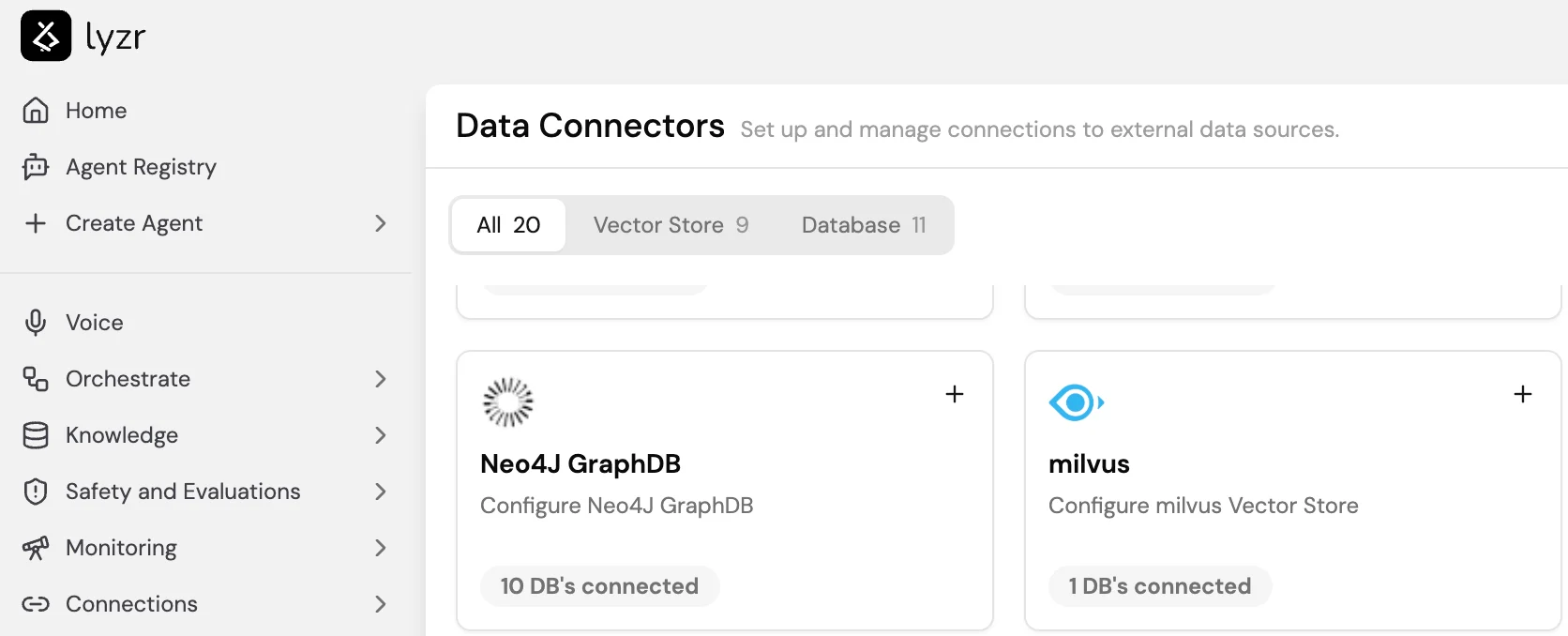
Data Connectors are managed under Connections > Data Connectors in the Studio sidebar.- Select Connections in the sidebar, then open Data Connectors.
- Find the Neo4J GraphDB card and select + to add a new connection.
- Enter a Name, the URI, Username, and Password from your Neo4j account.
- Save the connector.
Create a Knowledge Graph KB
- Go to Knowledge Base and select + New.
- Select Graph as the Knowledge Base Type.
- Select the Neo4j connector you configured above.
- Select Create Knowledge Base.
Upload and parse documents
Upload the documents you want to index. Supported formats: PDF, DOCX, TXT, Markdown. Multiple files can be uploaded at once. Lyzr automatically parses each document to:- Identify named entities (people, organizations, tools, concepts) and their types.
- Extract semantic relationships between entities, for example “Person A manages Team B” or “Tool X is used for Task Y”.
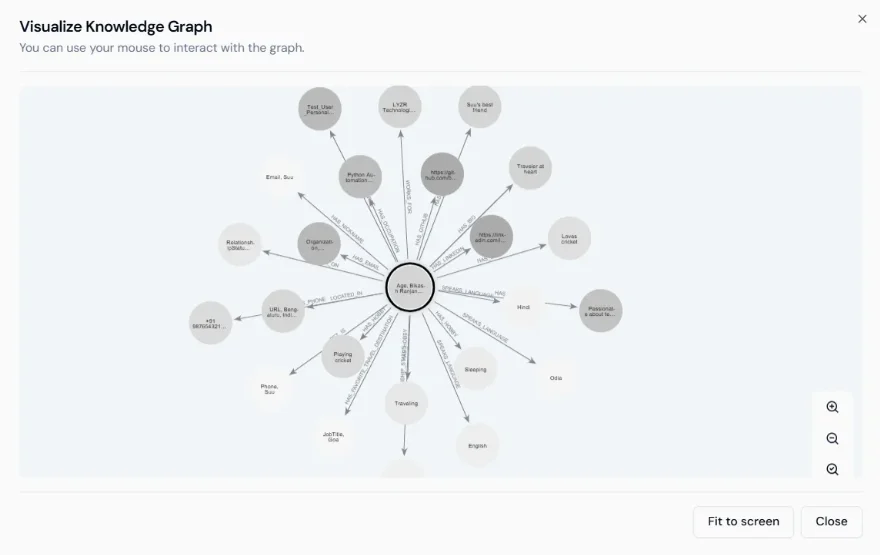
- Construct a graph schema from the extracted data.
Playground Retrieval
Once the graph is built, open the Knowledge Base and use the Playground Retrieval panel to test queries before attaching the KB to an agent. Type a natural language question and select Retrieve to see which entities and relationships are returned. This helps verify that the graph has been constructed correctly and that multi-hop queries resolve as expected.Query the Knowledge Graph
Once the graph is built, agents can query it using natural language. Lyzr translates the question into a Cypher graph traversal and returns results that span multiple documents and entities. Example queries:- “How does the approval process work across departments?”
- “Which tools are linked to a specific use case?”
- “What dependencies exist between tasks or agents?”