

Supported providers
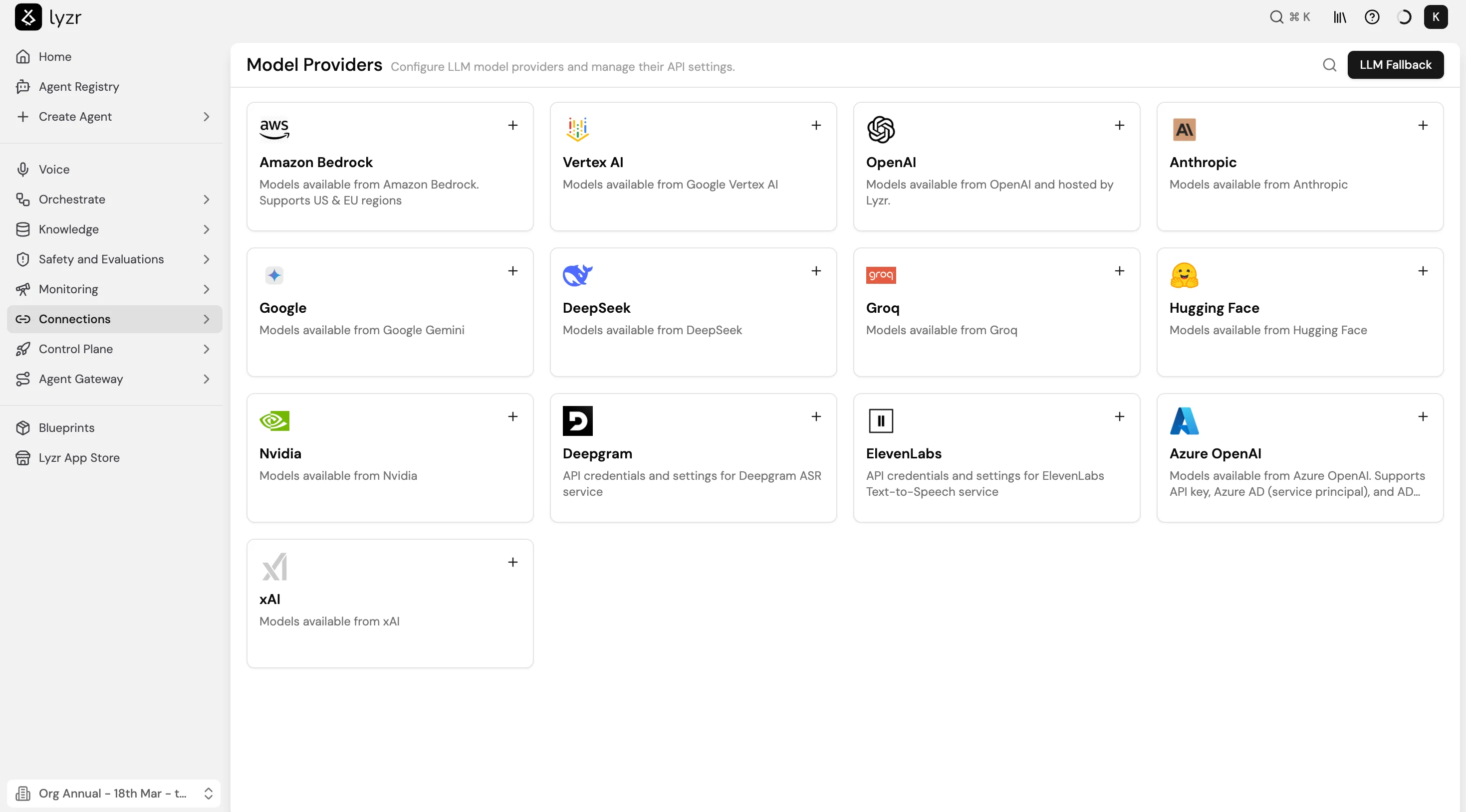
Connecting a provider
- Select Connections > Models in the sidebar.
- Find the provider card and select +.
- Enter your API key. Keys are stored encrypted and never logged.
- Save. The provider is now available in the model selector on all agents in the workspace.
Per-agent model selection
Each agent selects its model independently in the Agent Builder under Provider. You can run different agents on different models within the same workflow, for example GPT-4o for complex reasoning and Gemini Flash for fast retrieval steps.Find Your Perfect Model
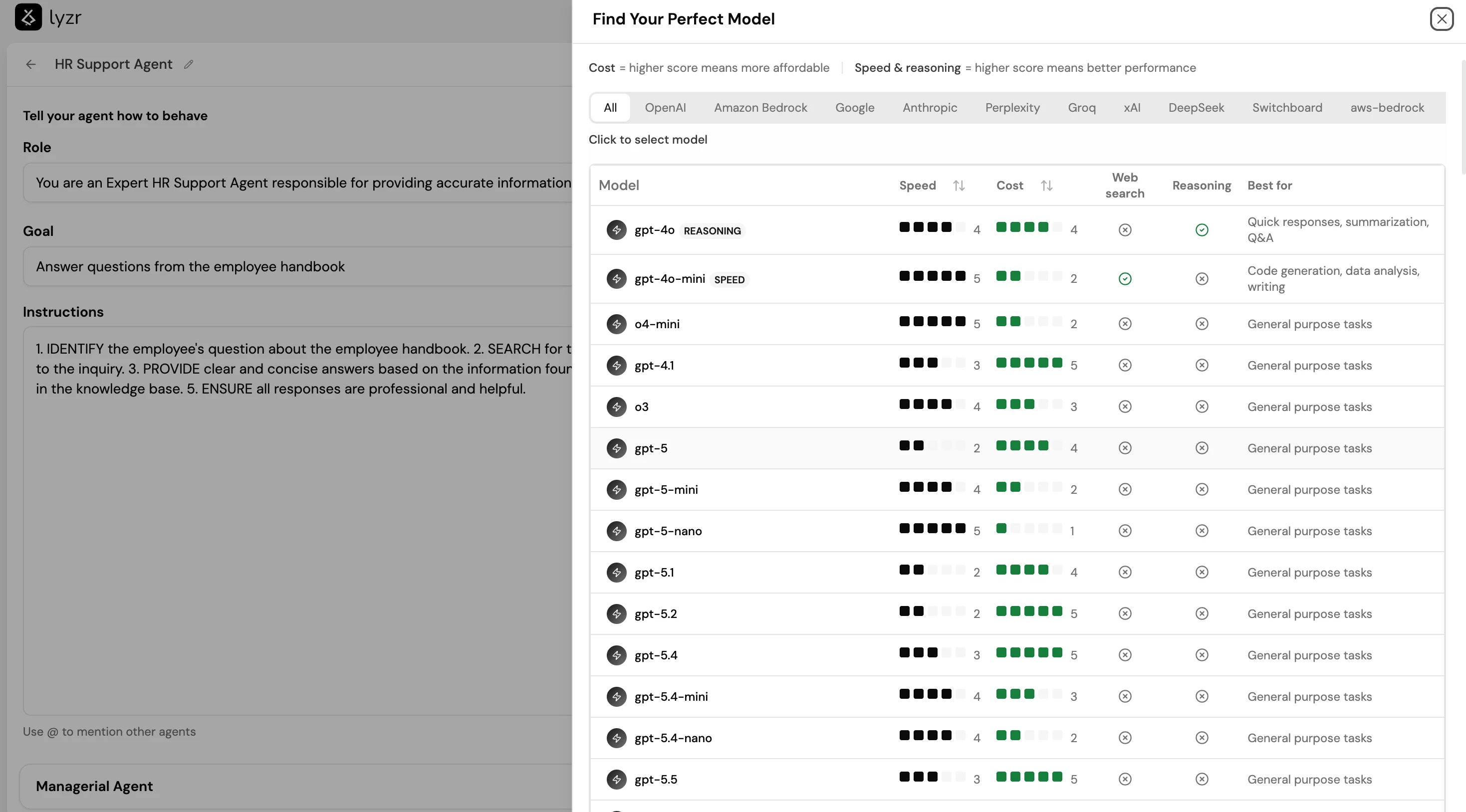
The model selector in Agent Builder includes a Find Your Perfect Model panel that lets you compare models across providers before selecting one. Models are scored on:- Speed: higher score means faster responses
- Cost: higher score means more affordable
- Web search: whether the model supports live web search
- Reasoning: whether the model has dedicated reasoning capability
- Best for: a short description of the model’s strongest use cases
LLM Fallback
LLM Fallback lets you configure a prioritized list of backup models that Lyzr tries automatically if the primary model fails or is unavailable. When the primary LLM fails, Lyzr tries each fallback in order. If none are configured, system defaults are used. To configure fallbacks, select LLM Fallback in the top right of the Model Providers page. Add up to three fallback models, each assigned a priority. Select a provider and model for each slot, then select Save Fallbacks.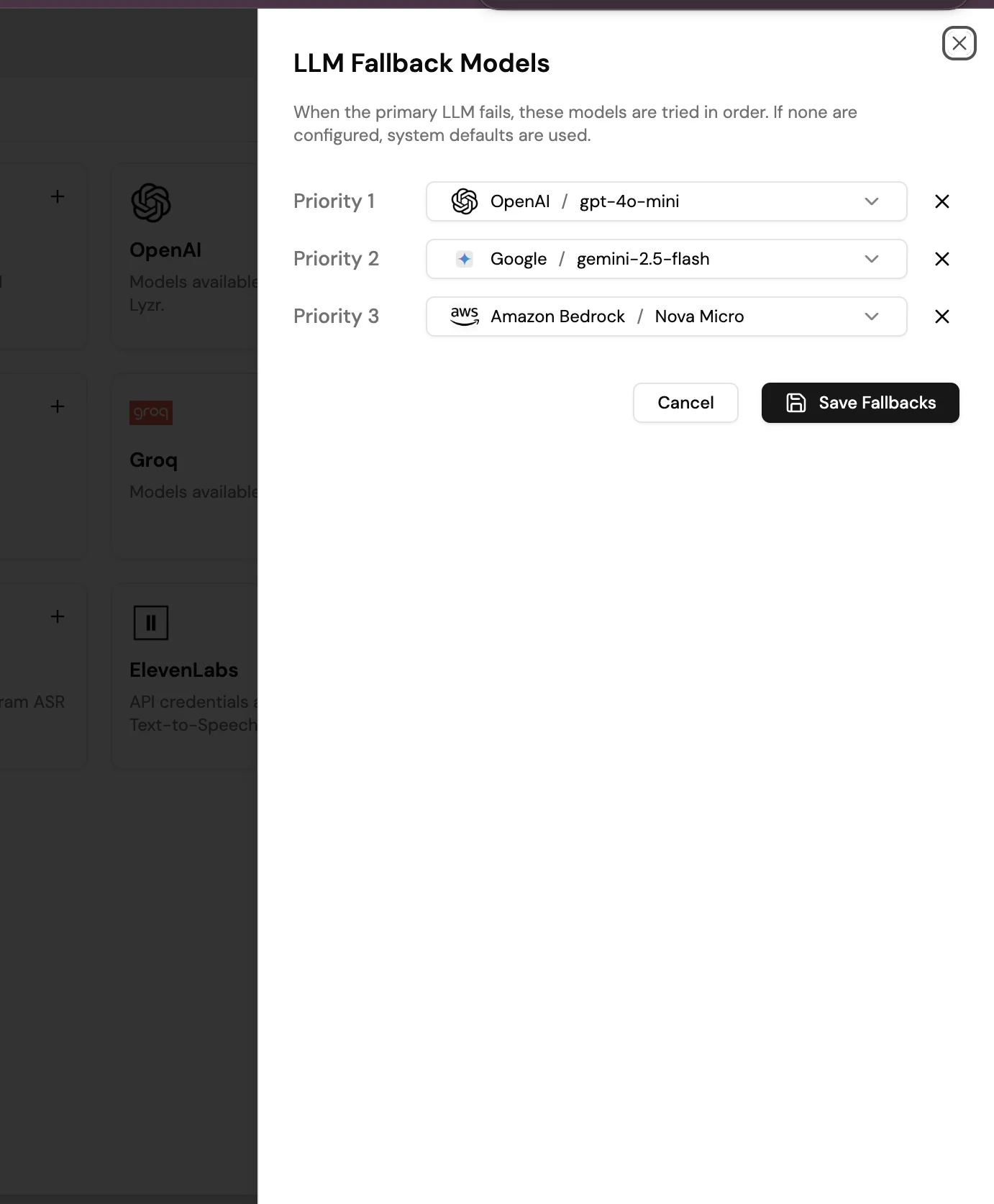
Auto-route by complexity
Auto-routing classifies each request and serves it from the matching tier’s model instead of the model selected on the agent. Turn it on when you want cheap, fast models to absorb simple requests automatically while harder requests still reach a stronger model, without hand-picking a model per request or per agent. Open Auto-route by complexity and toggle Enable auto-routing on. While it’s on, requests are served by the tier model that matches them.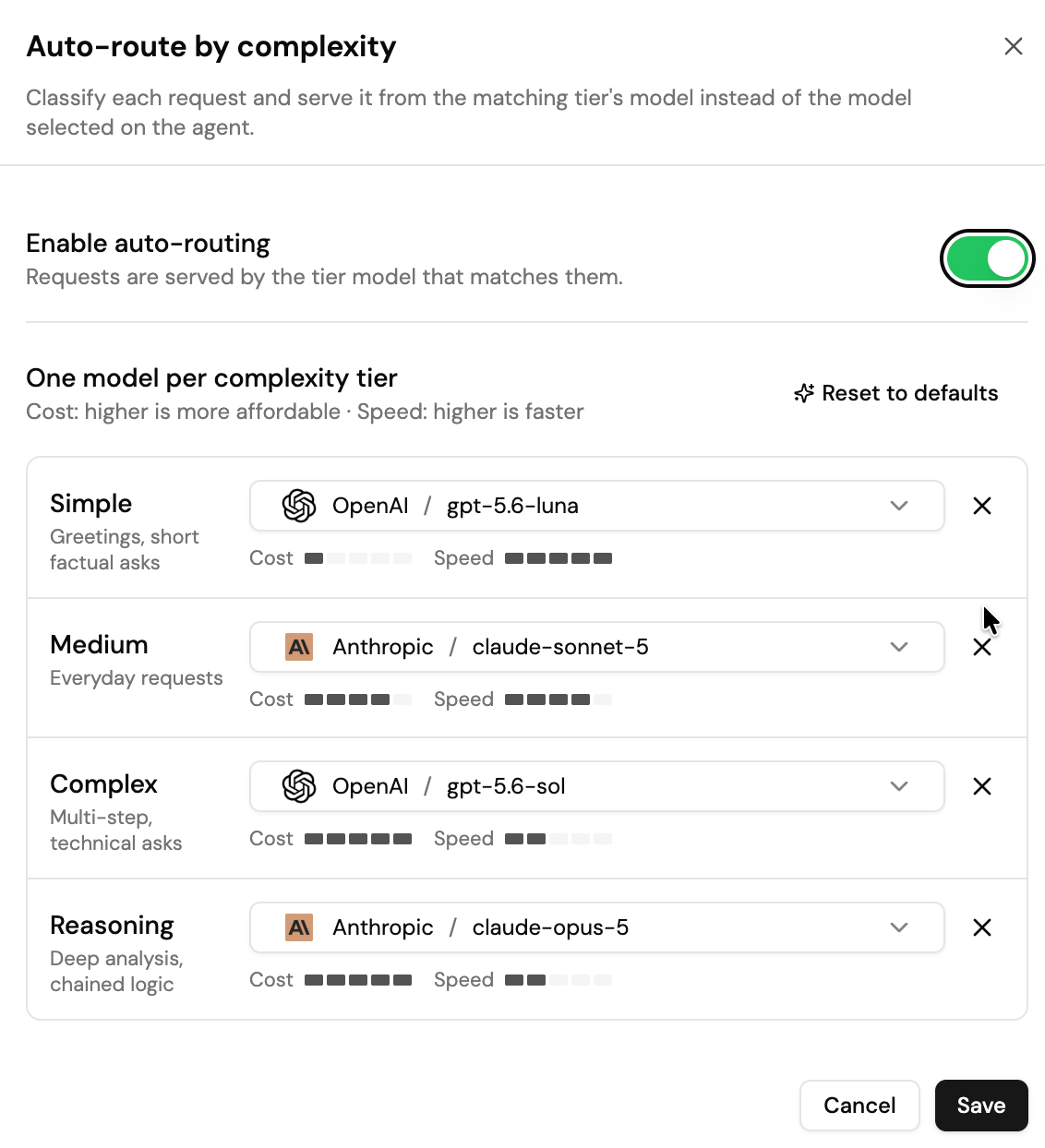
One model per complexity tier
Four tiers are available, each mapped to one provider/model:
For each tier, pick a provider and model from the dropdown, or clear the tier’s assignment with the × button. Every model shows relative Cost (higher is more affordable) and Speed (higher is faster) bars, so you can weigh the tradeoff before assigning it to a tier, for example pairing a fast, low-cost model with Simple and reserving a frontier reasoning model for Reasoning.
Select Reset to defaults to restore Lyzr’s recommended model for every tier in one action.
Select Save to apply the configuration, or Cancel to discard changes.
Classification looks at signals in the request itself, such as token count, technical terminology, and reasoning markers (“step by step,” “analyze”), to decide which tier it belongs to. This happens before the model call, so routing adds negligible latency. Auto-routing is a request-level override: it doesn’t change what’s configured on the agent, only which model actually serves each individual request.