

🎙️ Introduction to Voice Agent in Lyzr
Lyzr’s Voice Agent feature allows you to build intelligent agents that can understand spoken queries and respond through high-quality, lifelike voice output — all without writing a single line of code. These agents bring true conversational AI to your applications, combining speech interfaces with the reasoning power of large language models (LLMs). Whether you’re building for customer support, field operations, accessibility, or hands-free automation — voice is the most intuitive interface.🧠 What Powers the Voice Agent?
Lyzr integrates best-in-class services for both speech recognition and generation:🗣️ Deepgram – Speech-to-Text (STT)
- Converts spoken language into accurate, real-time text.
- Handles natural variations, accents, and noise robustly.
- Used to transcribe your voice input into query-ready text.
🔊 ElevenLabs – Text-to-Speech (TTS)
- Converts the agent’s reply into human-like voice output.
- Offers multiple voices with emotional tone and inflection.
- Used to speak the agent’s reply back to the user.
🔍 Why Use Voice Agents?
Voice is the most natural, fast, and accessible way for humans to communicate. With Lyzr Voice Agents, you unlock:- Hands-Free Interaction: Ideal for mobile, industrial, or kiosk-based environments.
- Accessibility: Empower users who prefer or require voice over text.
- Conversational Interfaces: Build assistants that feel alive and responsive.
- Faster Workflows: Speak tasks instead of typing them.
🎯 Ideal Use Cases
| Use Case | Description |
|---|---|
| AI Helpdesk Agent | Let users ask support questions by voice |
| AI Receptionist | Greet users, route requests, or capture basic details in spoken form |
| Operational Assistant | Workers in the field or factory can issue spoken commands to agents |
| Voice-Enabled Kiosk | Add conversational capabilities to physical spaces (museums, banks, etc.) |
🔒 Voice Data Handling
- Audio is processed securely via API calls to Deepgram and ElevenLabs.
- No raw voice recordings are stored unless explicitly enabled.
- All voice operations happen live — no persistent storage by default.
Summary
| Component | Technology | Role |
|---|---|---|
| Voice Input | Microphone | Captures user query |
| STT Engine | Deepgram | Converts speech to text |
| LLM Engine | GPT/Claude | Understands and responds |
| TTS Engine | ElevenLabs | Converts response to speech |
| Voice Output | Audio Playback | Speaks back to the user |
Lyzr Voice Agents enable you to build powerful, real-time conversational systems — voice-first, human-like, and AI-powered. With the best of Deepgram and ElevenLabs under the hood, it’s never been easier to bring speech interfaces to life.
🛠️ Enabling Voice Agent in Lyzr Studio
Lyzr Studio allows you to create voice-enabled agents with ease. With a simple toggle, you can turn any Lyzr agent into a fully interactive voice agent — capable of understanding spoken queries and responding in natural voice. To get started, you must configure API credentials for both Deepgram (Speech-to-Text) and ElevenLabs (Text-to-Speech).🎙️ 1. Enable Voice Agent During Agent Creation
When you create an agent inside Lyzr Studio, you’ll see a Voice Agent toggle in the configuration panel.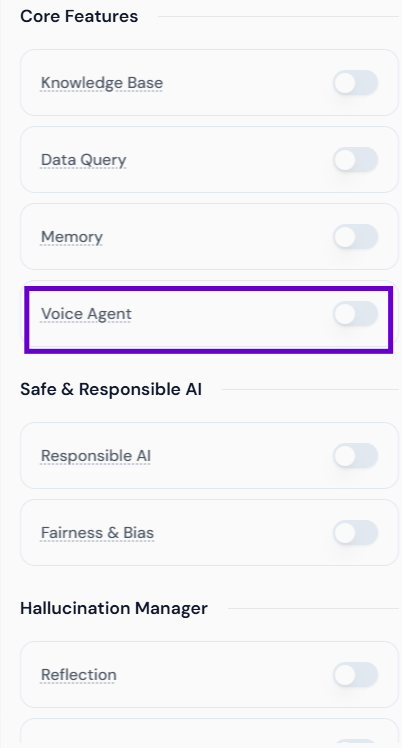
This toggle activates voice interaction features. However, it will only function once the required API credentials have been added.
🔐 2. Get Required API Credentials
To use voice features, you need API keys from the following providers:Deepgram (Speech Recognition)
- Visit console.deepgram.com
- Log in and navigate to API Keys
- Create a new key
ElevenLabs (Voice Generation)
- Go to elevenlabs.io
- Log in and visit Profile > API Keys
- Generate a new key for TTS usage
🔧 3. Save API Keys in Studio
Once you have the API keys, go to the Models section in Studio to save them under the respective providers.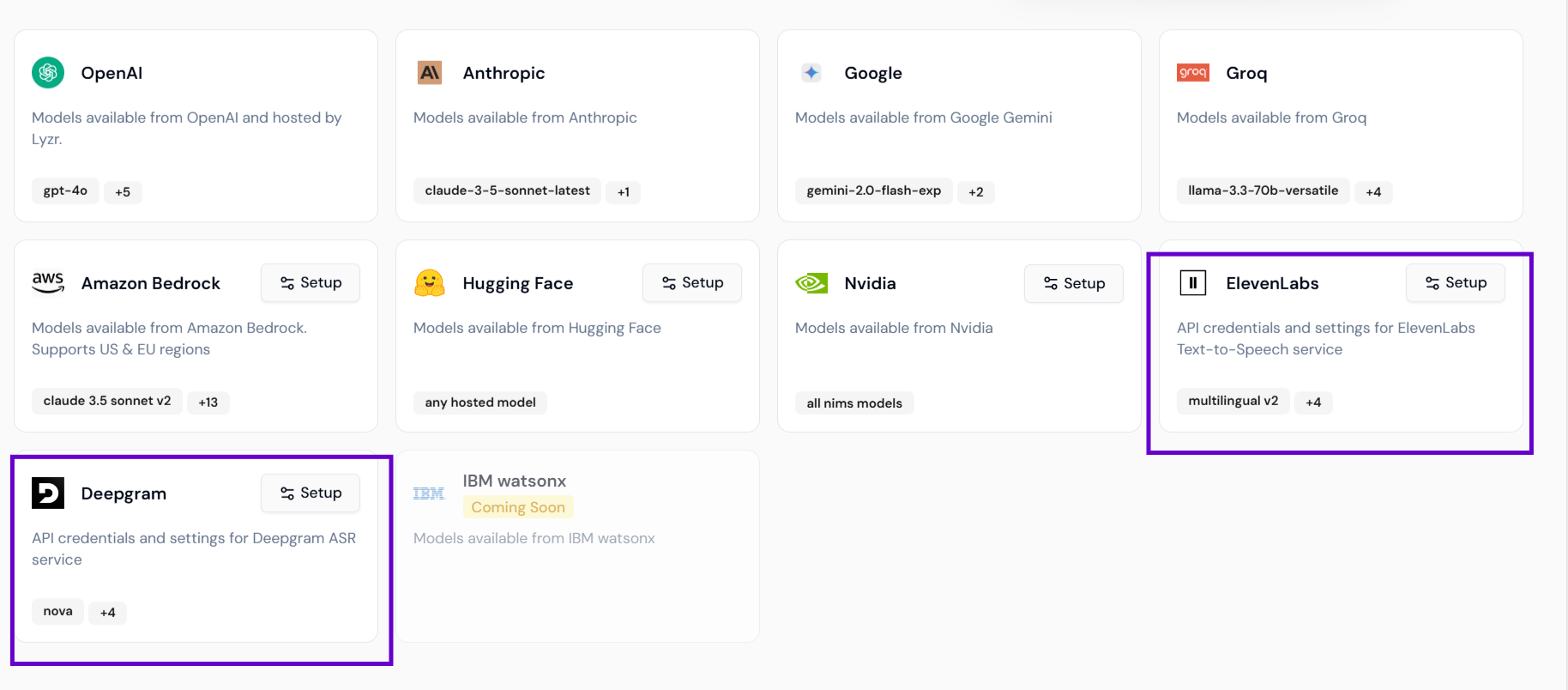
Deepgram Credentials
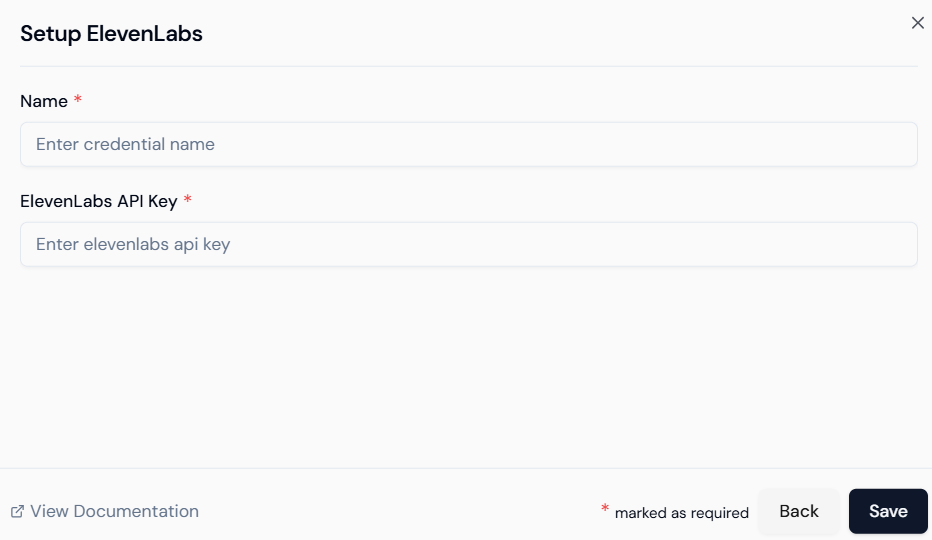
- Credential Name: Label it something meaningful (e.g.,
Deepgram STT) - API Key: Paste your Deepgram API key
ElevenLabs Credentials
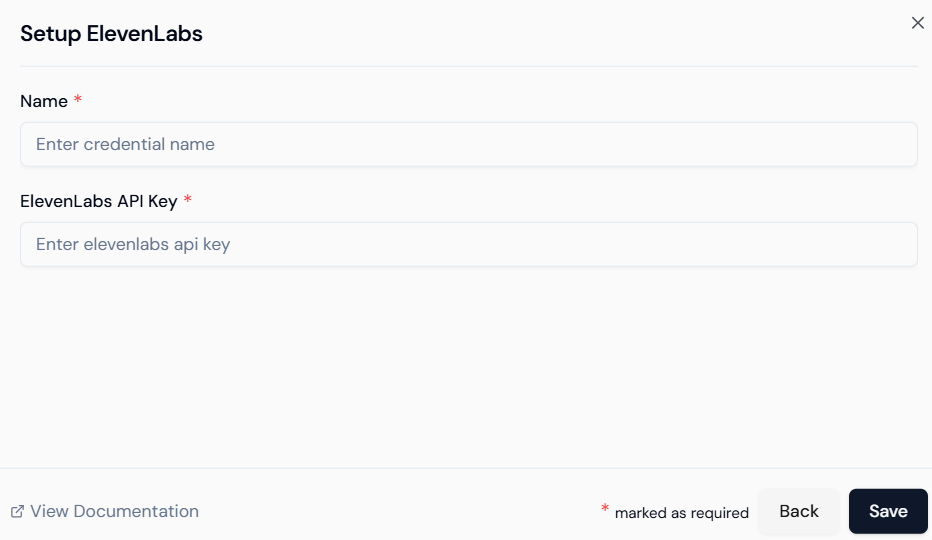
- Credential Name: Label it (e.g.,
ElevenLabs Voice) - API Key: Paste your ElevenLabs API key
Once both credentials are saved, the Voice Agent toggle will be fully functional when setting up agents.
🎛️ 4. Configure Voice Agent
After enabling the Voice Agent toggle, you can configure its behavior based on your needs.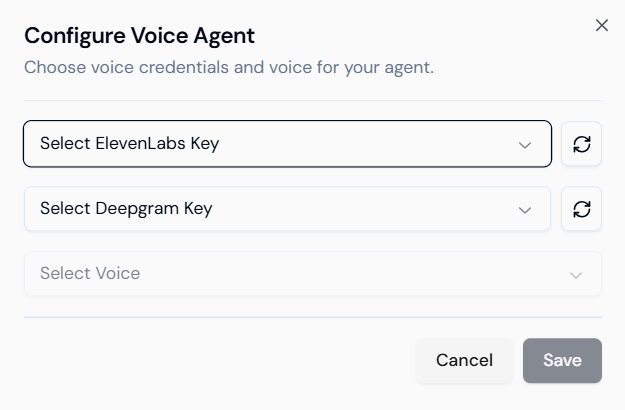 Here, you’ll be able to:
- Choose which ElevenLabs voice style to use
- Link the correct Deepgram and ElevenLabs credentials
- Tune options depending on use case (e.g., professional tone, casual tone, etc.)
✅ You’re Ready
With this setup complete, your agent can now:- Listen to spoken input via microphone
- Transcribe it using Deepgram
- Generate intelligent responses
- Speak the response aloud using ElevenLabs
Summary
| Step | Description |
|---|---|
| Generate API Keys | From Deepgram and ElevenLabs |
| Save Credentials | Add them under the Models section in Studio |
| Toggle Voice Agent | Enable the feature in agent setup |
| Configure Voice Options | Choose voice preferences and map credentials |
| Interact with Agent | Speak directly to your agent using your mic |
Lyzr Voice Agents let you build real-time, speech-based AI workflows — no code required.