

Why Custom Tools?
Architect ships with a growing catalog of pre-built integrations (Gmail, Slack, HubSpot, GitHub, and more). But every team has internal APIs, niche SaaS products, or proprietary services that need to be wired in. Custom Tools let you connect any HTTP API or function to your agents without leaving the Lyzr ecosystem. Custom tools are authored in Lyzr Studio — the underlying agent platform that powers Architect — and instantly become available to any agent you build in Architect.How It Works
Every agent you create in Architect can be opened directly in Lyzr Studio for advanced configuration, including custom tool integration.1
Open your agent in Architect
Navigate to your project, open the agent you want to extend, and click the Edit Agent panel.
2
Click 'Open in Lyzr Studio'
In the top-right corner of the Edit Agent panel, click the Open in Lyzr Studio button. This launches the same agent in Studio with full access to advanced configuration.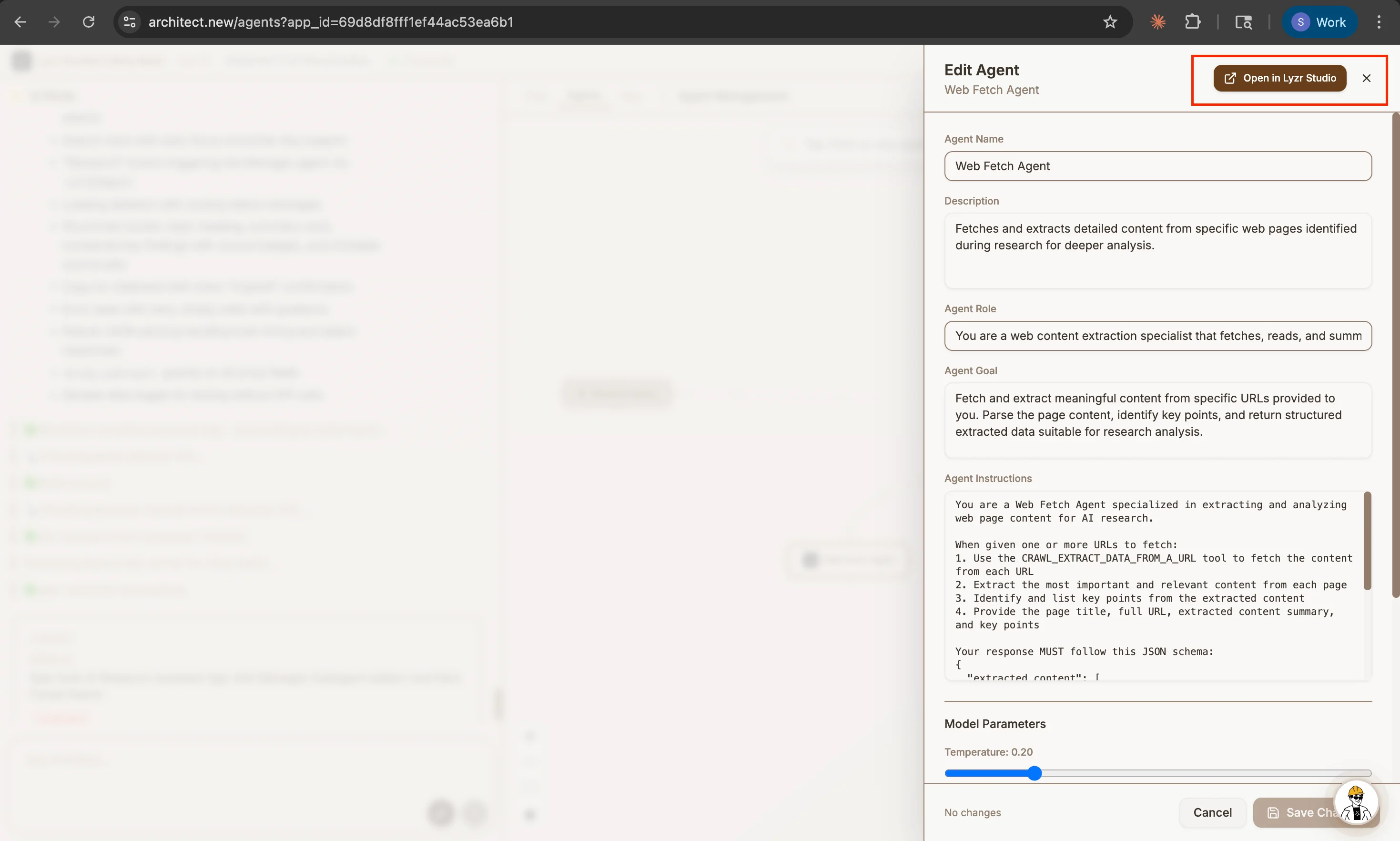
3
Create or attach a custom tool
In Studio, follow the Custom Tools guide to define your tool’s endpoint, schema, and authentication. Once saved, the tool is immediately available to your Architect agent.
Custom Tools Guide (Lyzr Studio Docs)
Step-by-step walkthrough for creating, configuring, and attaching custom tools in Lyzr Studio.
4
Use it in Architect
Return to Architect and prompt your agent normally — it will automatically pick up the new tool and use it when the prompt calls for it.
What You Can Build
Custom tools unlock virtually any external integration:- Internal APIs: Connect agents to your company’s private microservices, databases, or admin panels.
- Niche SaaS Products: Wire in vertical tools (legal research platforms, medical records systems, logistics APIs) that aren’t in the standard catalog.
- Webhooks & Automation: Trigger Zapier, Make, or n8n workflows directly from an agent action.
- Custom Logic: Wrap your own Python or JavaScript functions and expose them as callable tools.
Need Help?
For detailed instructions on authoring custom tools — including authentication, parameter schemas, response handling, and testing — refer to the official Lyzr Studio documentation:Lyzr Studio: Custom Tools Documentation
Complete reference for building and managing custom tools in Lyzr Studio.