> ## Documentation Index
> Fetch the complete documentation index at: https://docs.lyzr.ai/llms.txt
> Use this file to discover all available pages before exploring further.
# Weaviate Vector Store
### **Connecting Weaviate Vector Store**
Lyzr integrates with Weaviate, an open-source vector database, to enable lightning-fast similarity search and scalable data retrieval for your AI agents. By linking your Weaviate cluster, you provide your agents with a high-performance memory layer.
***
### **Configuration & Connection**
To connect Lyzr to your Weaviate instance, you must input the following credentials in the connection modal:
* **Unique Name:** A custom identifier for this data store (e.g., "Weaviate\_Main\_DB").
* **Vector Store API Key:** The authentication token generated within your Weaviate Cloud console.
* **Vector Store URL:** The REST endpoint address of your specific cluster.
***
### **Retrieving Your Credentials**
Follow these steps within the **Weaviate Cloud (WCD)** console to locate your connection details:
#### **1. Accessing the Dashboard**
Log in to your Weaviate Cloud account. If you do not have an active cluster, you will see the option to create one from your dashboard.
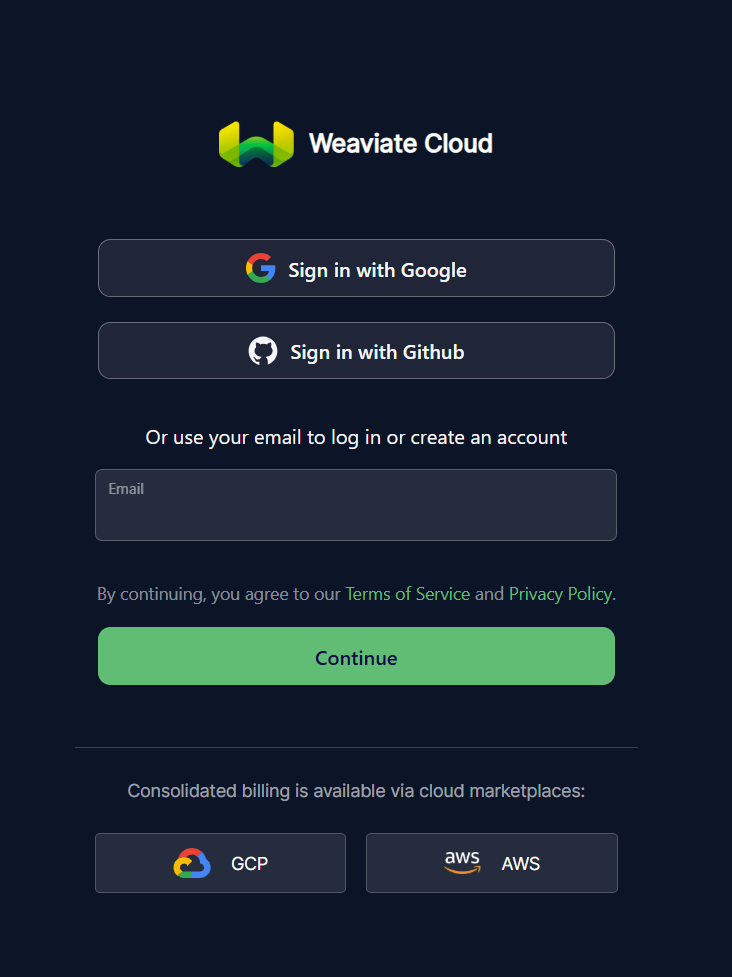 *Figure 1: Logging into the Weaviate Cloud interface.*
#### **2. Creating a New Cluster**
Navigate to the **Clusters** tab and click **+ Create cluster**. You can choose between a **Sandbox** (free for 14 days), a **Shared**, or a **Dedicated** tier depending on your requirements.
*Figure 1: Logging into the Weaviate Cloud interface.*
#### **2. Creating a New Cluster**
Navigate to the **Clusters** tab and click **+ Create cluster**. You can choose between a **Sandbox** (free for 14 days), a **Shared**, or a **Dedicated** tier depending on your requirements.
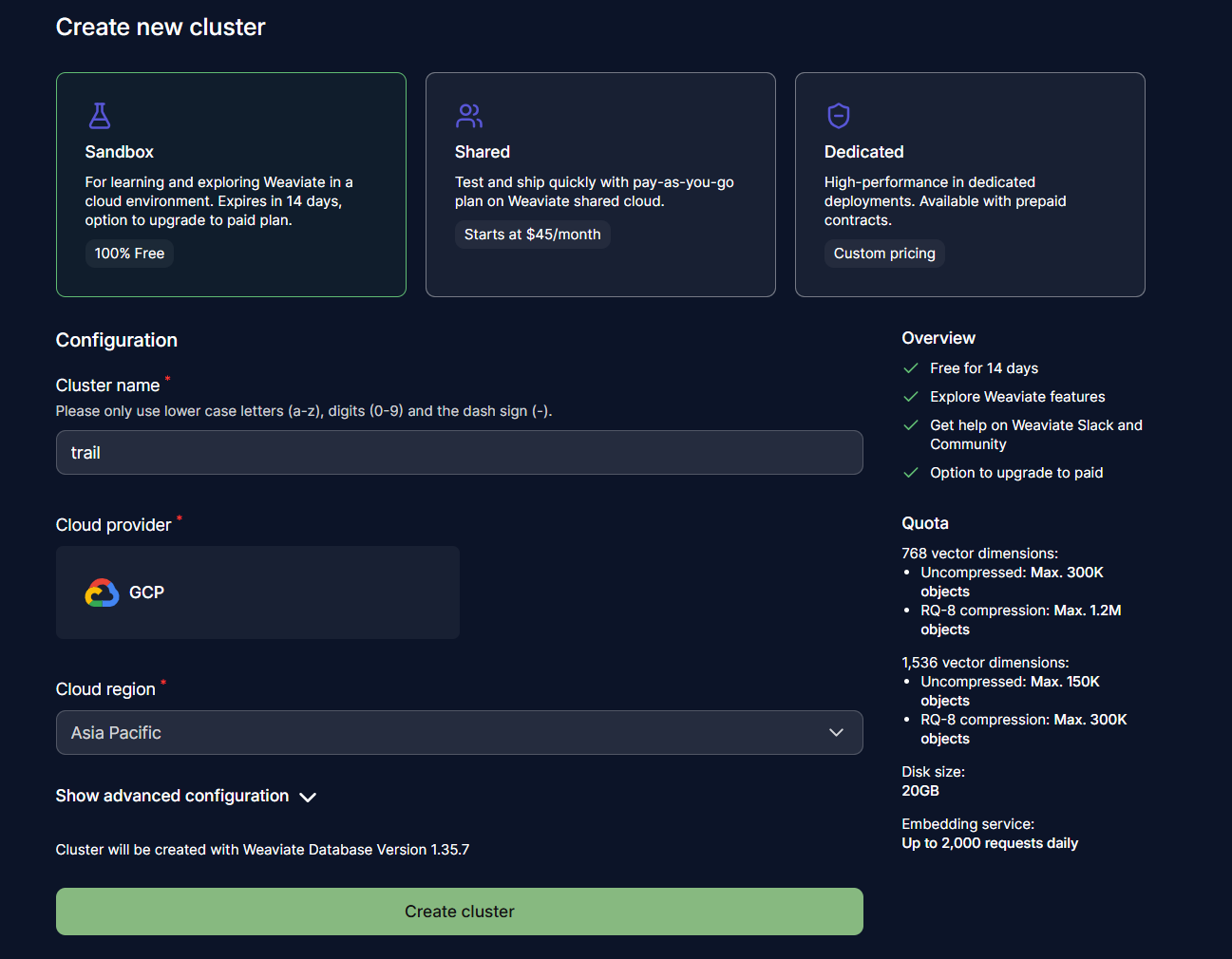 *Figure 2: Configuring a new Weaviate cluster.*
#### **3. Locating Endpoints and API Keys**
Once your cluster is deployed, click on it to view its details. Under the **Endpoints** section, copy the **REST Endpoint**.
To get your credentials, navigate to the **API Keys** section below the endpoints to generate or copy your existing key.
*Figure 2: Configuring a new Weaviate cluster.*
#### **3. Locating Endpoints and API Keys**
Once your cluster is deployed, click on it to view its details. Under the **Endpoints** section, copy the **REST Endpoint**.
To get your credentials, navigate to the **API Keys** section below the endpoints to generate or copy your existing key.
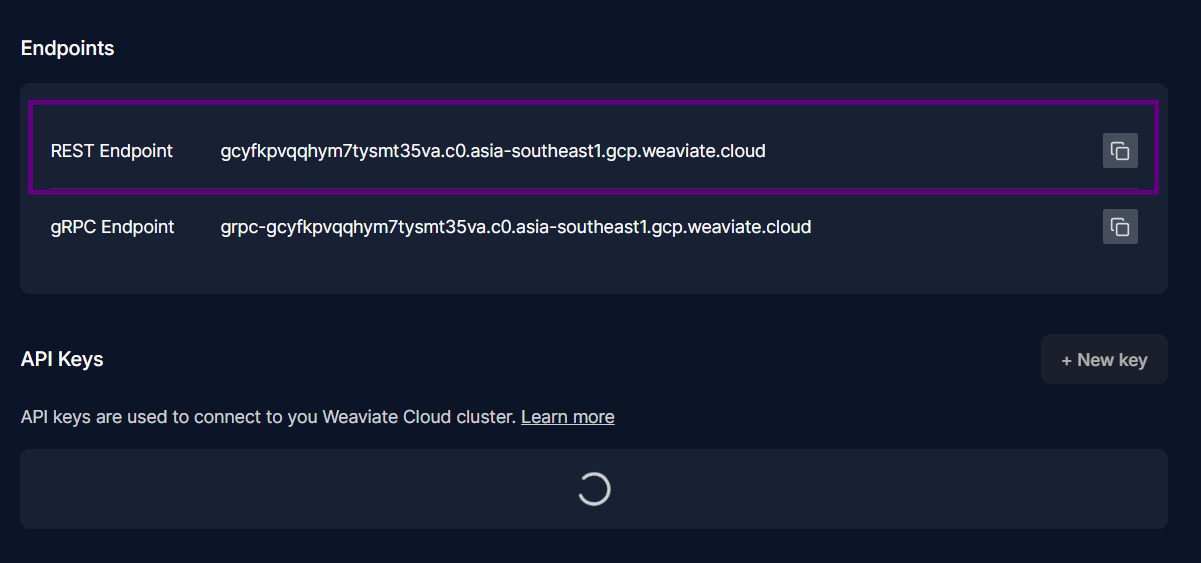 *Figure 3: Finding the REST Endpoint and API Key in the cluster details.*
***
### **Finalizing the Connection**
Return to the Lyzr dashboard and enter the gathered information into the **Connect Weaviate vector\_store** modal.
*Figure 3: Finding the REST Endpoint and API Key in the cluster details.*
***
### **Finalizing the Connection**
Return to the Lyzr dashboard and enter the gathered information into the **Connect Weaviate vector\_store** modal.
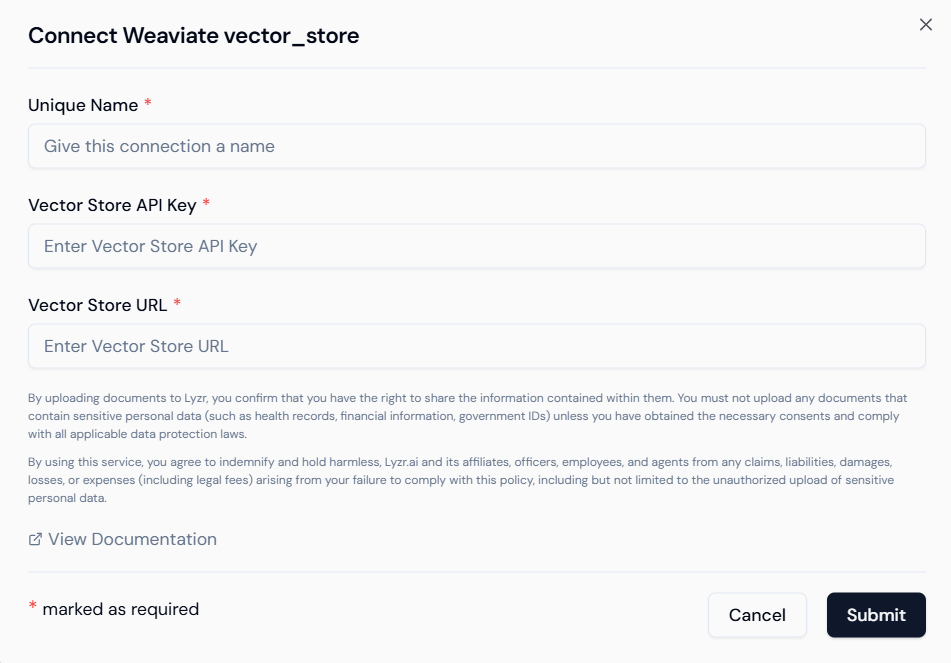 *Figure 4: Entering Weaviate credentials into Lyzr.*
* **Validation:** Click **Submit** to verify the credentials. Once validated, the status will update to reflect a successful connection.
* **Security:** Always treat your API keys as sensitive information. Weaviate API keys should be stored securely and never shared in public repositories.
*Figure 4: Entering Weaviate credentials into Lyzr.*
* **Validation:** Click **Submit** to verify the credentials. Once validated, the status will update to reflect a successful connection.
* **Security:** Always treat your API keys as sensitive information. Weaviate API keys should be stored securely and never shared in public repositories.