> ## Documentation Index
> Fetch the complete documentation index at: https://docs.lyzr.ai/llms.txt
> Use this file to discover all available pages before exploring further.
# Audit Logs
The Audit Log serves as the centralized hub to monitor and track all activities performed by team members within your organization. This transparency is crucial for maintaining security, troubleshooting configuration changes, and ensuring compliance across your AI development lifecycle.
### **Key Features**
* **Comprehensive Logging:** Every action taken on the platform is recorded—from agent modifications to knowledge base uploads—to assist with activity oversight and forensic auditing.
* **Access Control:** Due to the sensitive nature of the data, this feature is strictly restricted to users with **Admin** or **Owner** roles.
* **Real-time Monitoring:** Use the **Refresh** button to pull the latest events, and the **Pagination** (e.g., "Page 1 of 5") to review historical logs.
***
### **Navigation and Access**
To access the Audit Logs, follow these steps:
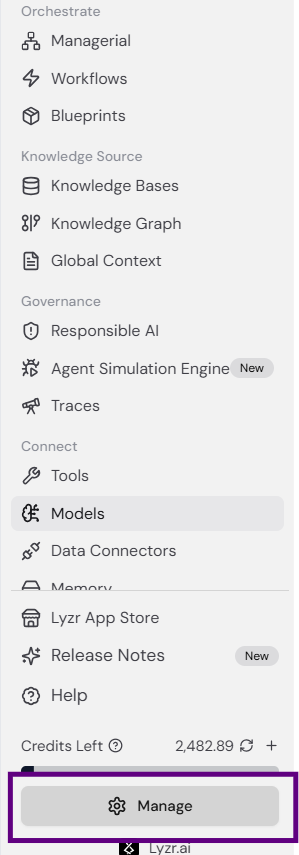
1. Click the **Manage** button at the bottom of the left-hand sidebar.
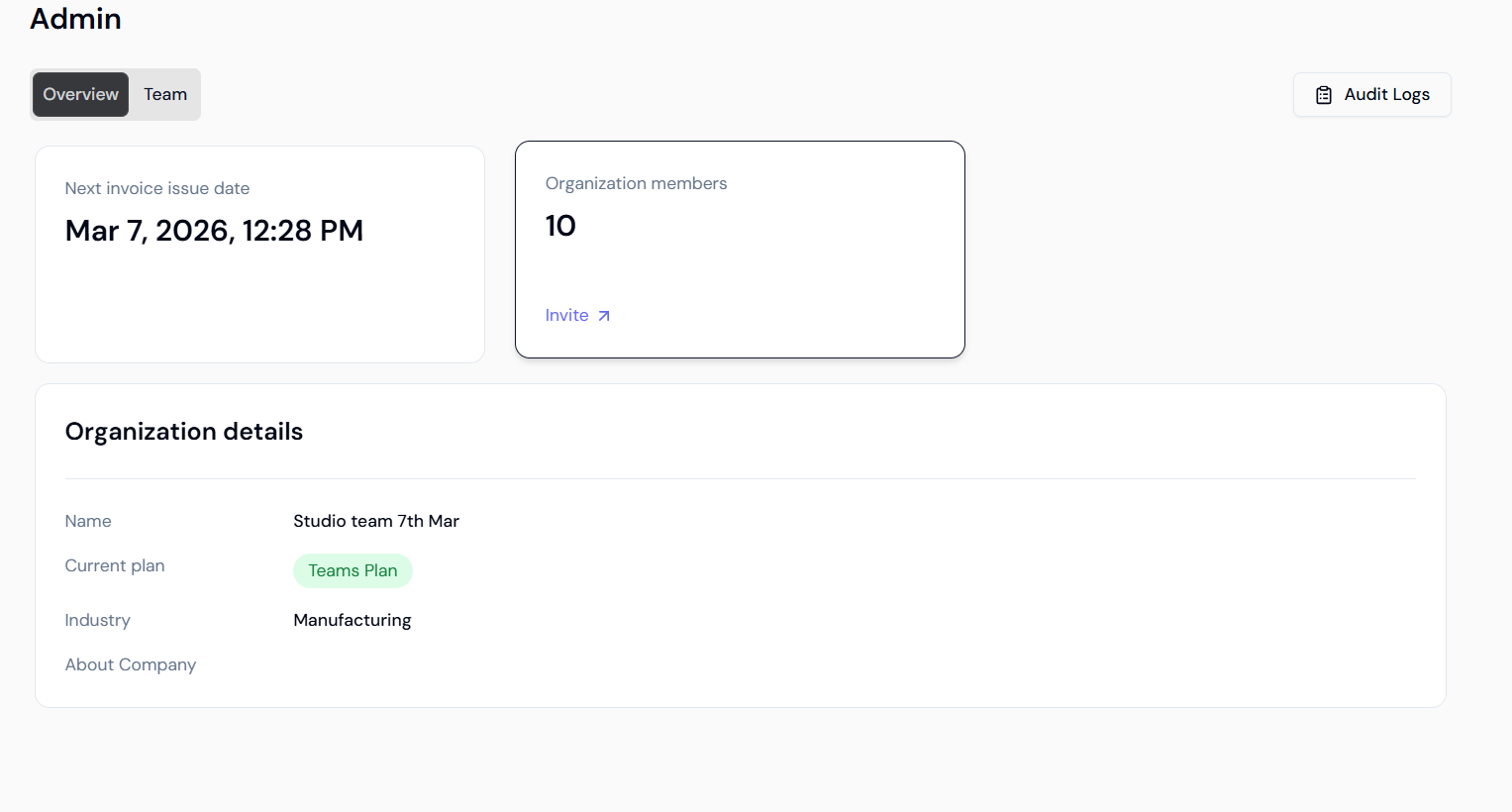
 2. You will be redirected to the **Admin** dashboard. In the top right corner of the **Overview** tab, click the **Audit Logs** button.
 ***
### **Dashboard Overview**
The Audit Log interface provides high-level metrics and granular details to help you reconstruct specific events:
* **Total Events:** Total count of logged activities (e.g., "Showing 1 - 50 of 201 results").
* **Event Status:** Tracking of **Successful** vs. **Failed** actions to identify system errors or unauthorized attempts.
* **Events by Action:** Breakdown of activities such as **Create**, **Update**, and **Delete**.
* **Events by Resource:** Monitoring of activities across different resources like **Agents**, **Tools**, and **Knowledge Bases**.
***
### **Activity Log Details**
The granular log table captures specific data points for every entry to provide a full context of the activity:
***
### **Dashboard Overview**
The Audit Log interface provides high-level metrics and granular details to help you reconstruct specific events:
* **Total Events:** Total count of logged activities (e.g., "Showing 1 - 50 of 201 results").
* **Event Status:** Tracking of **Successful** vs. **Failed** actions to identify system errors or unauthorized attempts.
* **Events by Action:** Breakdown of activities such as **Create**, **Update**, and **Delete**.
* **Events by Resource:** Monitoring of activities across different resources like **Agents**, **Tools**, and **Knowledge Bases**.
***
### **Activity Log Details**
The granular log table captures specific data points for every entry to provide a full context of the activity:
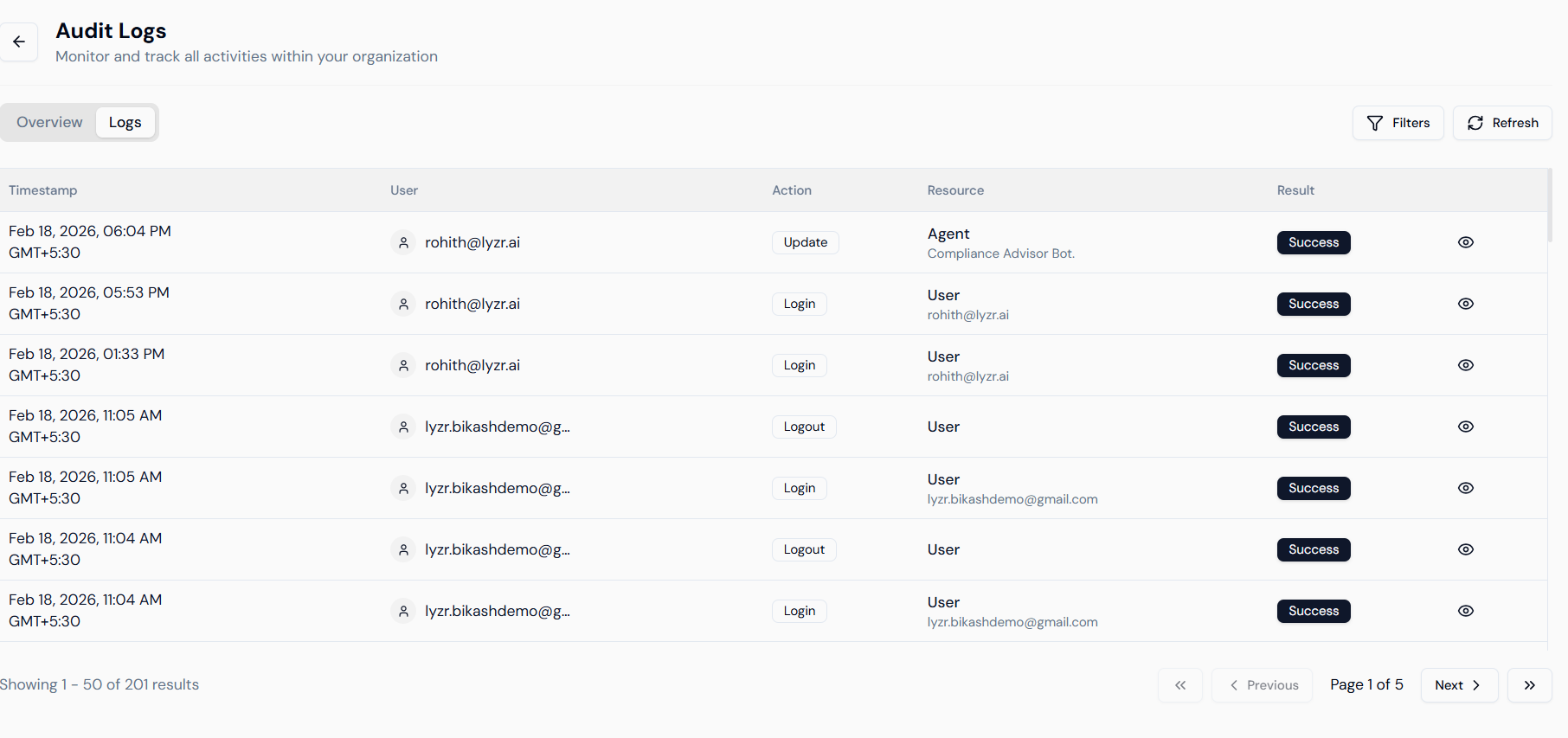 * **Timestamp:** The exact date and time of the event, including time zone offsets (e.g., Feb 18, 2026, 06:04 PM GMT+5:30).
* **User:** Identification of the member who performed the action, displayed by their registered email address.
* **Action:** The specific operation executed (e.g., "Update", "Login", "Logout").
* **Resource:** The specific entity or platform component affected (e.g., "Agent" or "Compliance Advisor Bot").
* **Result:** Confirmation of the outcome, such as "Success", "Failure", "Blocked", or "Partial".
* **Metadata View:** The eye icon on the far right allows you to view the raw JSON or technical details of the event.
***
### **Filtering and Refining Search**
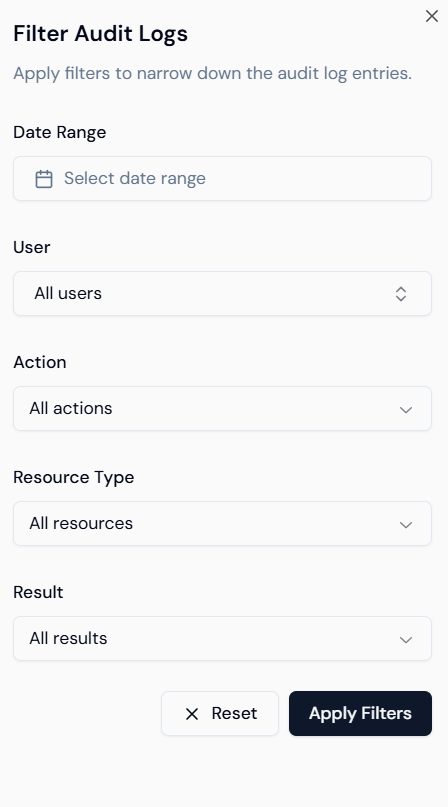
With high volumes of events, finding a specific change requires using the **Filters** tool to narrow down the results.
* **Timestamp:** The exact date and time of the event, including time zone offsets (e.g., Feb 18, 2026, 06:04 PM GMT+5:30).
* **User:** Identification of the member who performed the action, displayed by their registered email address.
* **Action:** The specific operation executed (e.g., "Update", "Login", "Logout").
* **Resource:** The specific entity or platform component affected (e.g., "Agent" or "Compliance Advisor Bot").
* **Result:** Confirmation of the outcome, such as "Success", "Failure", "Blocked", or "Partial".
* **Metadata View:** The eye icon on the far right allows you to view the raw JSON or technical details of the event.
***
### **Filtering and Refining Search**
With high volumes of events, finding a specific change requires using the **Filters** tool to narrow down the results.
 #### **1. Filtering by Action**
Narrow your search based on the type of behavior performed on the platform.
#### **1. Filtering by Action**
Narrow your search based on the type of behavior performed on the platform.
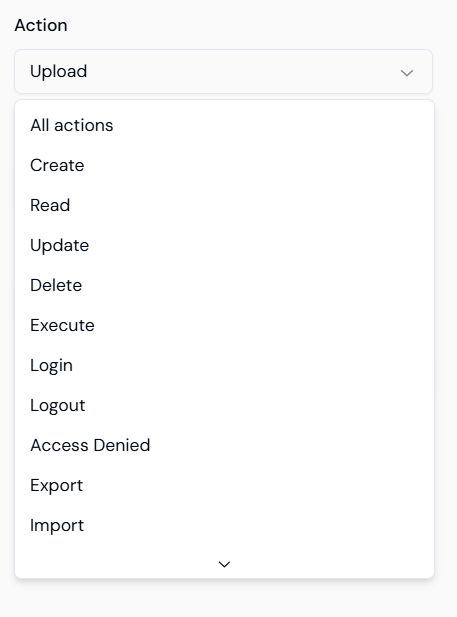
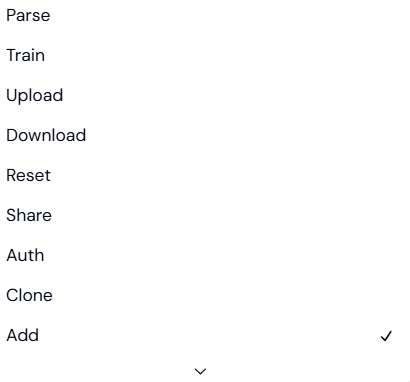 * **Management:** Create, Read, Update, Delete.
* **Security:** Login, Logout, Access Denied, Auth.
* **AI Operations:** Train, Parse, Execute, Inference.
* **Data Flow:** Upload, Download, Export, Import, Add.
#### **2. Filtering by Resource Type**
Filter by the specific component of the platform to see how certain assets are being handled.
* **Management:** Create, Read, Update, Delete.
* **Security:** Login, Logout, Access Denied, Auth.
* **AI Operations:** Train, Parse, Execute, Inference.
* **Data Flow:** Upload, Download, Export, Import, Add.
#### **2. Filtering by Resource Type**
Filter by the specific component of the platform to see how certain assets are being handled.
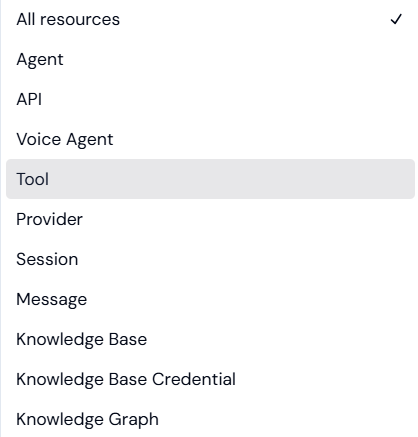
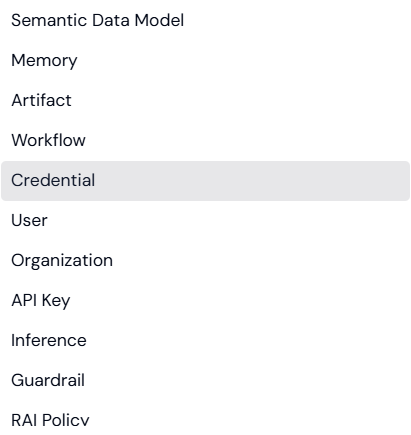
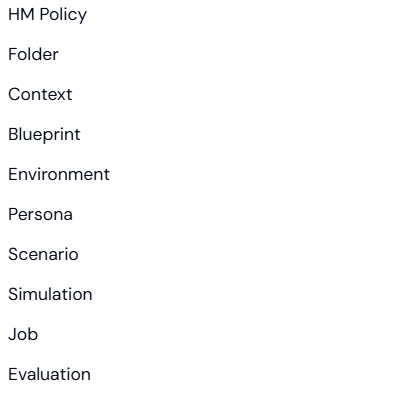 * **Core Components:** Agent, Voice Agent, Tool, Knowledge Base.
* **Infrastructure:** Organization, User, API Key, Environment, Folder.
* **AI Logic:** Semantic Data Model, Knowledge Graph, Memory, Guardrail, RAI/HM Policy.
* **Simulation & Testing:** Persona, Scenario, Simulation, Evaluation.
#### **3. Filtering by Result**
Isolate entries based on their final status to troubleshoot issues.
* **Core Components:** Agent, Voice Agent, Tool, Knowledge Base.
* **Infrastructure:** Organization, User, API Key, Environment, Folder.
* **AI Logic:** Semantic Data Model, Knowledge Graph, Memory, Guardrail, RAI/HM Policy.
* **Simulation & Testing:** Persona, Scenario, Simulation, Evaluation.
#### **3. Filtering by Result**
Isolate entries based on their final status to troubleshoot issues.
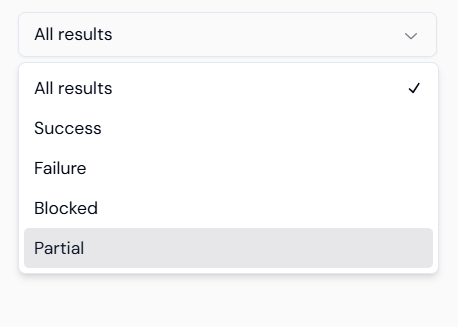 * **Success:** The operation was completed successfully.
* **Failure:** The operation encountered an error.
* **Blocked:** The action was stopped by security protocols or lack of permissions.
* **Partial:** Only a portion of the request was fulfilled.
***
* **Success:** The operation was completed successfully.
* **Failure:** The operation encountered an error.
* **Blocked:** The action was stopped by security protocols or lack of permissions.
* **Partial:** Only a portion of the request was fulfilled.
***