> ## Documentation Index
> Fetch the complete documentation index at: https://docs.lyzr.ai/llms.txt
> Use this file to discover all available pages before exploring further.
# Accounts & Billing
> Manage Lyzr Agent Studio Account
## Profile
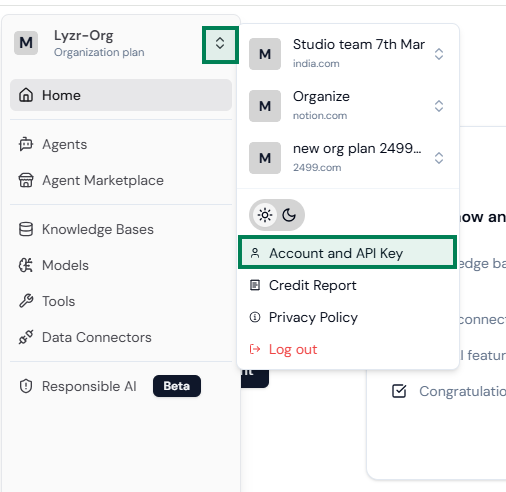
To access your profile, click on the icon in the sidebar as shown in the image. Select Account & API Key to update your profile details as needed.
You can also copy your API key, which is useful for building agents externally.
 ## Billing
*Applicable to only paid users who are part of a plan.*
Visible to only Owner accounts, that have bought the plan
*Users who did a top-up without purchasing a plan do not need to unsubscribe as top-up is a one-time payment and the credits do not have expiry*.
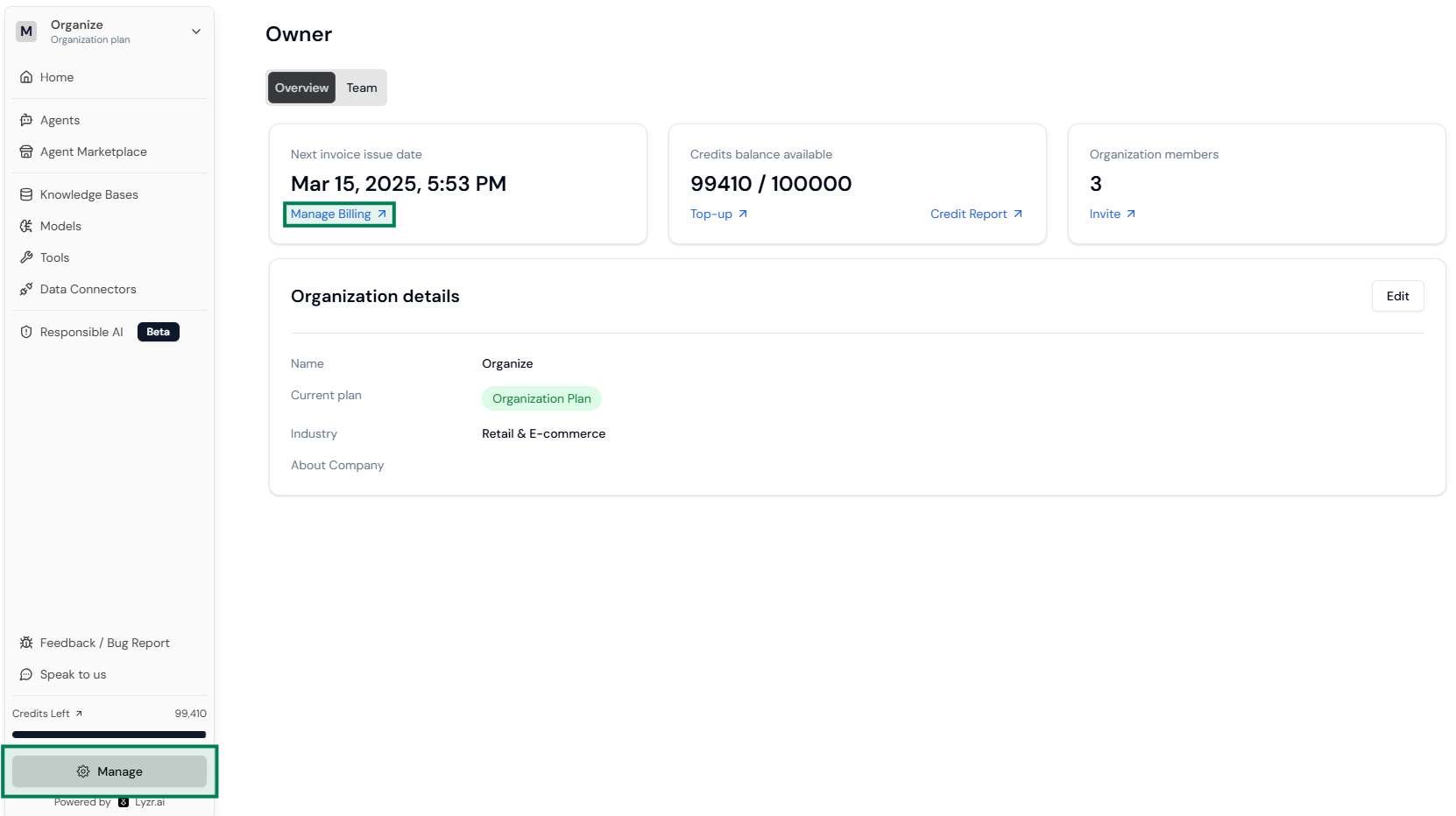
* Click **Manage** at the bottom of the left sidebar.
* A new page will open; click on **Manage Billing**.
## Billing
*Applicable to only paid users who are part of a plan.*
Visible to only Owner accounts, that have bought the plan
*Users who did a top-up without purchasing a plan do not need to unsubscribe as top-up is a one-time payment and the credits do not have expiry*.
* Click **Manage** at the bottom of the left sidebar.
* A new page will open; click on **Manage Billing**.
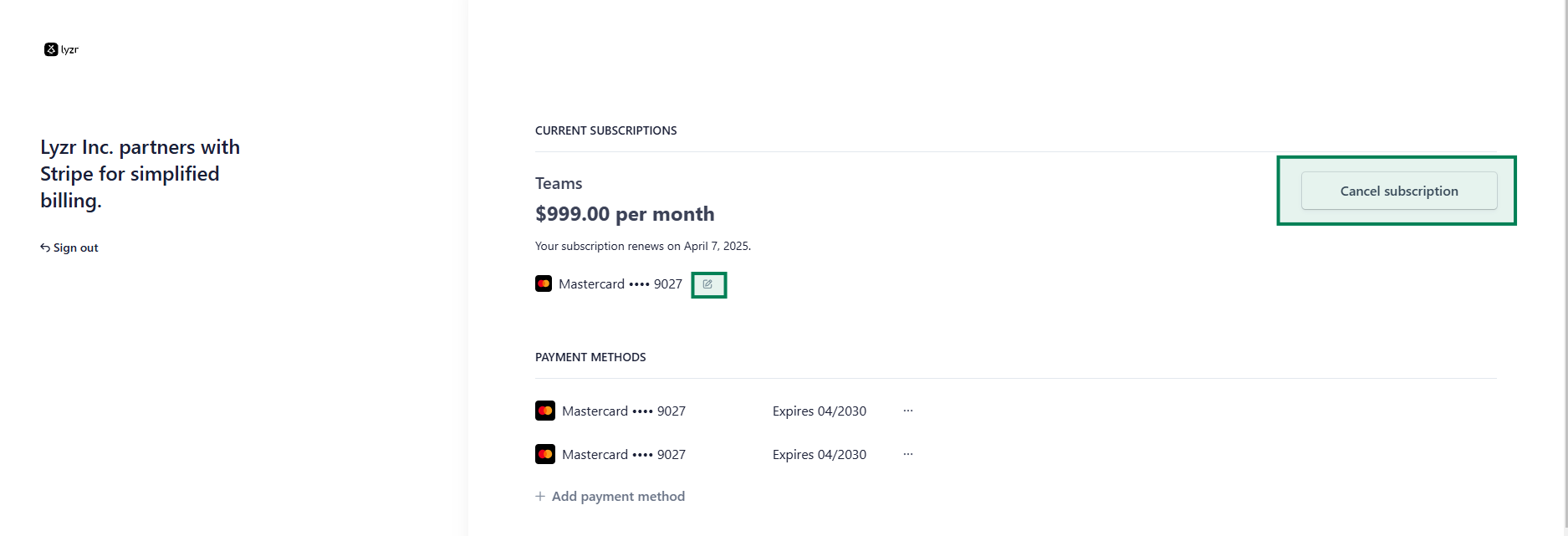
 * A stripe portal gets opened. For the 1st time, it will ask you for your email, where they will provide a link. Once you get into the portal, you get to see the following items as shown in the image below:
* Cancel Subscription
* Change card details
* Invoice history/next invoice
* A stripe portal gets opened. For the 1st time, it will ask you for your email, where they will provide a link. Once you get into the portal, you get to see the following items as shown in the image below:
* Cancel Subscription
* Change card details
* Invoice history/next invoice